
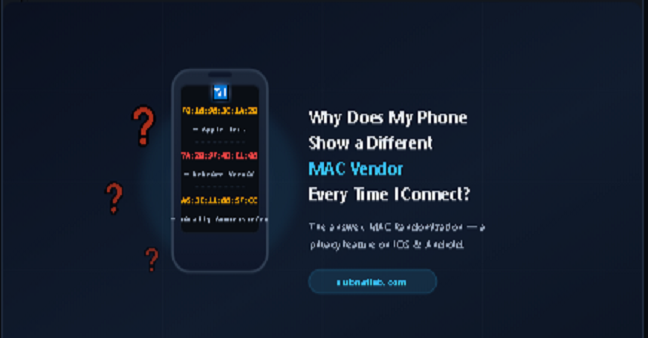
I ran a MAC address lookup on my own phone twice in the same afternoon, on the same Wi-Fi network, and got two different manufacturers back. The first result said Apple. The second said the vendor was unknown. Nothing was broken. My phone hadn’t been swapped.
What I’d actually run into was MAC randomization, a privacy feature that quietly runs in the background of almost every phone sold since 2020, and it’s the reason your vendor lookup keeps changing even though the phone in your hand never does.
If you’ve searched this exact question, you’ve probably landed on an Apple support page or an Android developer document written for engineers, not for someone who just wants a straight answer. Here’s the plain version, plus how to actually confirm what’s happening on your own device.

What a MAC Address Is Actually Made Of
A MAC address (Media Access Control address) is a 48-bit hardware identifier burned into every network interface card (NIC), the Wi-Fi or Ethernet chip inside your phone, laptop, or router. It’s written as six pairs of hex digits, like F0:18:98:3C:1A:2B.
That address splits into two halves:
- The first 24 bits (first three pairs) are the OUI (Organizationally Unique Identifier) assigned by the IEEE to a specific manufacturer. F0:18:98 is registered to Apple, for example. This is the part your lookup tool actually reads.
- The last 24 bits are assigned by the manufacturer itself, making that specific device unique.
In theory, that OUI should always point you to the real vendor. In practice, your phone has started lying to it on purpose and that’s not a flaw, it’s a deliberate privacy design.
The Real Reason: MAC Randomization

Every phone broadcasts its MAC address constantly while scanning for Wi-Fi networks, and again once it actually connects. For years, this meant retailers, transit systems, and advertising networks could track a specific phone’s movement across locations just by logging that one fixed address no app install, no consent, no way to opt out.
Apple was first to respond, introducing randomized addresses for Wi-Fi scanning in iOS 8 back in 2014, then extending it to real connections through the Private Wi-Fi Address feature starting in iOS 14. Google followed with MAC randomization in Android 10, and made it the default behavior for every network in Android 12.
Instead of broadcasting its real, burned-in MAC address, your phone generates a temporary, randomized one and uses that instead often a different one for every network you join, and on newer iOS versions, sometimes a new one on a rotating schedule even on a network you’ve joined before.
That’s the entire mystery solved: you’re not looking up your phone’s real hardware address most of the time. You’re looking up a disposable one it invented for that specific connection.
How to Spot a Randomized MAC Address Yourself

There’s a quick manual check that works without any tool: look at the second character (hex digit) of the first pair in the address.
- If that second digit is 2, 6, A, or E, the unicast bit and locally administered bit are set, meaning the address was generated on the device, not assigned by the IEEE to a manufacturer. This is the signature of a randomized address.
- A real, factory-assigned address will not follow that pattern, and its OUI will match an actual company in the IEEE registry, which is why a genuine lookup returns a real vendor name like Samsung, Apple, or Intel.
So when a MAC address lookup tool returns “unknown vendor” or “locally administered address” instead of a brand name, that’s not a broken tool or a database gap. It’s confirmation that randomization is doing exactly what it was designed to do.
iOS vs. Android: How Each One Actually Handles It

| Platform | Default Behavior | Where to Check It |
| iOS 14–18 | Private Wi-Fi Address on by default; some versions rotate it periodically per network | Settings > Wi-Fi > (i) next to network name |
| Android 10–11 | Randomized MAC available, but not on by default for every network | Settings > Network & Internet > Wi-Fi > network > Privacy |
| Android 12+ | Randomized MAC is the default for all Wi-Fi networks | Settings > Network & Internet > Internet > network > Privacy |
Is This Something You Should Worry About?
No for almost everyone, this is a feature working correctly, not a fault. The upside is real: it stops businesses from fingerprinting your device across visits using nothing but Wi-Fi probe requests, a tracking method that was widespread in retail analytics before randomization became standard.
There’s one legitimate downside worth knowing about. If you manage a home or office network and rely on MAC-based access control a router allow list, a DHCP reservation, or parental controls tied to a specific address, a randomizing device will look like a brand-new, unrecognized device every time it rotates. This is the single most common cause of “my kid’s phone keeps disappearing from the parental control list” support tickets.
How to Get a Consistent, Real MAC Address When You Need One
If you’re setting up a DHCP reservation, a firewall rule, or a guest network allow list and need the device’s actual address to stay put, turn off randomization for that specific network rather than device-wide:
- iOS: Settings > Wi-Fi > tap the (i) next to the network > turn off Private Wi-Fi Address for that network only.
- Android 12+: Settings > Network & Internet > Internet > tap the network > Privacy > switch from “Use randomized MAC” to “Use device MAC.”
Once switched off, the device broadcasts its real, burned-in address on that network, and a lookup will correctly resolve to the actual manufacturer.
Confirm It for Yourself
The fastest way to see this in action is to run the address through a MAC Address Lookup tool twice once while connected normally, and again right after toggling Private Wi-Fi Address or “Use device MAC” off.
You’ll watch the result flip from “unknown / locally administered” to your phone’s actual manufacturer in real time, which is a more convincing explanation than any support article.
Frequently Asked Questions
Why does my MAC address vendor say “unknown” or “private”?
Because your phone is broadcasting a randomized, locally administered address instead of its real hardware address,
which is standard behavior on iOS 14+ and Android 12+.
Is a randomized MAC address a security risk?
No. It improves your privacy by preventing location and behavior tracking across Wi-Fi networks;
it doesn’t expose any additional information about your device.
Will turning off Private Wi-Fi Address hurt my privacy?
Only on that specific network. Your phone will use its real address there,
making it trackable by that network’s owner.
but nothing changes on any other network you connect to.
Can two different phones show the same randomized MAC address?
It’s astronomically unlikely. Random addresses are generated with enough entropy that collisions aren’t a practical concern.
Does MAC randomization affect my IP address or internet speed?
No. MAC addresses operate at a different layer of the network than IP addresses, so randomization does not affect your connection speed or your assigned IP.
Related Tools
Written from first-hand testing across iOS and Android devices while researching content for SubnetLab’s networking tools.
Author Profile

-
Muhammad Kazim Ali – Owner & Principal Engineer at SubnetLab.com (real-world networking labs).
10+ years in routing, switching & infrastructure design. Helps students, pros & enterprises master networking via practical labs. Based in Lahore, works with ISPs, data centers & tech teams.
📞 +92 343 5201037 (WhatsApp) | ✉️ subnetlab.official@gmail.com | 🌐 subnetlab.com
Latest entries
 Network BlogAugust 25, 2026TCP/IP Model and Network Protocols Explained:TCP, UDP, ICMP, Handshakes, Flags, and Data Flow
 Network BlogAugust 11, 2026Router vs Calculator Showing Different Subnets? Why & the Fix
 Network BlogAugust 6, 2026Supernetting Explained: The Opposite of Subnetting
 Network BlogAugust 5, 2026Ping Command Explained:Your First Tool for Network Troubleshooting