
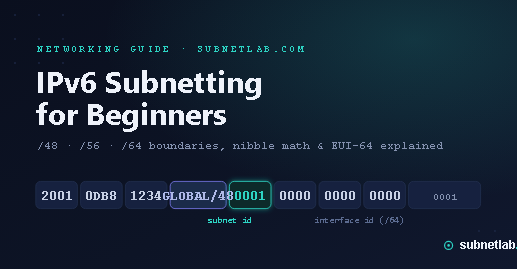
If you learned networking on IPv4, IPv6 subnetting feels like someone rewrote the rules overnight. The math is different, the notation is longer, and terms like “nibble boundary” and “EUI-64” show up without much explanation. I remember staring at my first /56 allocation from an ISP and genuinely not knowing what to do with it it looked nothing like the class-based subnetting I’d spent years memorizing.
That confusion is common. Most IPv6 guides either drown you in RFC language or oversimplify to the point of being wrong. This guide sits in the middle: practical enough to use today, accurate enough to trust in production.
If you just want the numbers crunched, SubnetLab’s IPv6 subnet calculator will do the math instantly. This article explains why the math works the way it does, so the calculator’s output actually makes sense to you.
Why IPv6 Addressing Is Not “Bigger IPv4”
The biggest mental shift is this: IPv4 subnetting is about conserving addresses. IPv6 subnetting is about organizing an address space so large that conservation isn’t really the point anymore.
A few core differences matter immediately:
- Address length: IPv4 uses 32 bits; IPv6 uses 128 bits, written as eight groups of four hexadecimal digits (e.g.,
2001:0db8:0000:0000:0000:0000:0000:0001, shortened to2001:db8::1). - No more NAT-driven scarcity thinking: With roughly 340 undecillion possible addresses, IPv6 design assumes every device can have a real, routable address. Subnetting exists for organization and security segmentation, not to squeeze out a few extra hosts.
- Hierarchical allocation by design: ISPs receive large blocks (often a
/32or shorter) from regional registries like ARIN or RIPE NCC, then hand out/48or/56blocks to customers. A home user typically gets far more address space than an entire IPv4-era company ever had. - Hexadecimal, not decimal: IPv4 subnetting relies on binary-to-decimal conversion. IPv6 subnetting relies on binary-to-hex conversion, which is actually simpler once you get used to it, because each hex digit maps cleanly to exactly 4 bits.
This last point is the key to everything else in this guide.
Understanding /48, /56, and /64 Boundaries

IPv6 prefixes almost always fall on nibble boundaries — meaning the prefix length is a multiple of 4. That’s not a coincidence; it’s a deliberate design choice to keep subnetting readable in hex. Here’s what the three most common boundaries actually mean.
/48 — The Typical Site Allocation
A /48 gives you 16 bits of subnetting room (bits 49–64), which works out to 65,536 possible /64 subnets. This is the standard allocation for larger organizations, hosting providers, and, increasingly, tech-savvy home labs. Structurally:
2001:0db8:aaaa : ssss : iiii:iiii:iiii:iiii
└── 48 bits ──┘ └16b─┘ └──── 64 bits ────┘
   Global ID    Subnet      Interface ID
/56 — The Common Home Allocation
A /56 gives you 8 bits of subnetting room, or 256 /64 subnets. Most residential ISPs (Comcast, Spectrum, many fiber providers) now hand out /56 blocks to home routers instead of a single /64. That’s 256 separate networks for a household — enough for a main LAN, a guest network, an IoT VLAN, a home lab, and plenty of room to grow.
/64 The Universal Subnet Size
This is the one rule beginners trip over the most: a standard IPv6 subnet is always a/64, regardless of how many devices are on it. Unlike IPv4, where you’d carve out a space for a small office to “save” addresses, IPv6 doesn’t work that way.
The last 64 bits are reserved for the interface identifier, and mechanisms like SLAAC and EUI-64 (explained below) depend on that full 64-bit space existing. Deviating from /64 a LAN segment (using it /127 for point-to-point router links is the recognized exception) breaks stateless autoconfiguration and can cause subtle, hard-to-diagnose problems.
How to Subnet an IPv6 Network (Nibble Boundary Math)

Here’s the part that trips people up on paper but is genuinely easier than IPv4 once it clicks. Because each hex character represents 4 bits, moving your subnet boundary by one nibble means moving it by exactly one hex digit.
Say your ISP hands you 2001:db8:1234::/48. You need to break this into /64 subnets for different departments or VLANs. Since a /48 already ends on a nibble boundary and a /64 is also a nibble boundary, you simply use the 4th hex group as your subnet ID:
2001:db8:1234:0000::/64→ Subnet 0 ( Servers)2001:db8:1234:0001::/64→ Subnet 1 Office LAN)2001:db8:1234:0002::/64→ Subnet 2 ( Guest Wi-Fi)2001:db8:1234:000a::/64→ Subnet 10 ( DMZ)
That 4th group can count in hex from 0 0000 to ffff — all 65,536 subnets from your /48. No borrowing bits mid-byte, no binary long division. This is the entire advantage of nibble-aligned subnetting, and it’s the exact logic SubnetLab’s IPv6 subnet calculator automates for you when you enter a prefix.
If your allocation is a /56 instead, you only have the last nibble and a half of that 4th group to play with (8 bits = the last 2 hex digits of that group), so your subnet count drops to 256 rather than 65,536, but the method is identical.
Subnetting for Home, Business, and Cloud Networks
The right subnetting approach depends heavily on context. Here’s how it typically plays out in practice.
Home Networks
With a /56 from your ISP, a reasonable home lab layout might look like this:
| Subnet | Purpose |
|---|---|
::0/64 |
Main household LAN |
::1/64 |
Guest Wi-Fi (isolated) |
::2/64 |
IoT devices (smart plugs, cameras) |
::3/64 |
Home lab / virtualization |
::4/64 |
Management VLAN |
This mirrors good IPv4 VLAN hygiene but without the address-scarcity trade-offs.
Business Networks
A /48 for a mid-sized business typically gets split by site first, then by function, for example, one /56 per branch office out of the /48, then /64 subnets per department within each branch. This keeps routing tables clean because summarization happens naturally at nibble boundaries.
Cloud Environments
Cloud providers (AWS, Azure, GCP) generally assign a /56 per VPC and expect you to carve /64 blocks per subnet within it — AWS, for instance, requires IPv6 subnets inside a VPC to be exactly /64. This is one of the clearest real-world confirmations that /64 isn’t a suggestion; it’s baked into how major infrastructure providers implement IPv6 at the platform level.
EUI-64: How Devices Build Their Own Address

One of IPv6’s more elegant (if occasionally confusing) features is EUI-64,
part of the SLAAC (Stateless Address Autoconfiguration) process that lets a device generate its own address without a DHCP server.
Here’s the process, step by step:
- Take the device’s 48-bit MAC address, like
00:1A:2B:3C:4D:5E. - Split it in half:
00:1A:2Band3C:4D:5E. - Insert
FFFEin the middle:00:1A:2B:FF:FE:3C:4D:5E. - Flip the 7th bit of the first byte (the “universal/local” bit) this typically changes
00to02. - Result:
021A:2BFF:FE3C:4D5EThis becomes the interface identifier, appended to your/64subnet prefix.
So a device with that MAC on subnet 2001:db8:1234:0001::/64 ends up with the address 2001:db8:1234:0001:021a:2bff:fe3c:4d5e.
In practice, most modern operating systems now default to privacy extensions (RFC 4941).
Generating randomized interface identifiers instead of EUI-64 ones to prevent device tracking across networks. EUI-64 still matters, though
it’s widely used for statically assigned infrastructure like routers, servers, and printers,
where a predictable, MAC-derived address is actually useful for identification and troubleshooting.
Real-World Examples
ISP allocation: A residential fiber ISP announces a /32 from its RIR allocation, then delegates a /56 to each customer router via DHCPv6-PD (Prefix Delegation). The customer’s router then automatically splits that /56 into /64s for each connected LAN segment.
Home lab: A hobbyist running Proxmox and a few VLANs off a /56 from their ISP might dedicate 2001:db8:abcd:10::/64 purely to lab VMs, keeping it separate from the household ::0/64 network all without touching NAT or worrying about running out of addresses.
Enterprise: A company with three offices might receive a /44 from their upstream provider, delegate a /48 per office, and let each office’s network team subnet their /48 into /64s per department using the exact nibble-boundary method shown above. Because everything aligns on nibble boundaries, route summarization back to a single /44 at the WAN edge stays clean and scalable.
FAQs: IPv6 Subnetting
Is IPv6 subnetting harder than IPv4? It’s different, not harder. Once you’re comfortable working in hexadecimal and understand that it /64 is the standard LAN size.
IPv6 subnetting actually involves less trial-and-error math than IPv4 VLSM.
Why is every subnet a /64 in IPv6? Because SLAAC and EUI-64 need a full 64-bit interface identifier space to generate addresses without a DHCP server. Using anything smaller than /64 on a standard LAN breaks stateless autoconfiguration.
Can I use a /64 for a point-to-point link? You can, but it’s wasteful and considered an outdated practice. Most network engineers now use it /127 for router-to-router links, per RFC 6164, reserving it /64 for actual host-bearing subnets.
What’s the difference between a /48 and /56 allocation? A /48 gives you 65,536 possible /64 subnets; a /56 gives you 256. /48s typically go to businesses and larger deployments.
Wi-Fi is increasingly standard for home internet connections.
Do I need to manually calculate IPv6 subnets? Not usually — tools like the SubnetLab IPv6 subnet calculator handle the nibble-boundary math instantly. Understanding the logic behind it, though, helps you catch misconfigurations and design better network hierarchies.
Is EUI-64 still relevant with privacy extensions enabled?
Yes. While client devices (laptops, phones) mostly use randomized addresses now,.
EUI-64 remains common for statically configured infrastructure like servers, routers, and network printers.
Final Thoughts
IPv6 subnetting rewards a small upfront investment in understanding hex and nibble boundaries with a system once it clicks.
Start from the fixed /64 rule, work in nibbles, and the rest from home labs to enterprise WAN design follows the same simple pattern.
When you’re ready to apply this, run your prefix through SubnetLab’s IPv6 subnet calculator to see the subnet breakdown instantly.
check out our IPv4 vs IPv6 comparison guide if you’re still working across both protocols.
Author Profile

-
Muhammad Kazim Ali – Owner & Principal Engineer at SubnetLab.com (real-world networking labs).
10+ years in routing, switching & infrastructure design. Helps students, pros & enterprises master networking via practical labs. Based in Lahore, works with ISPs, data centers & tech teams.
📞 +92 343 5201037 (WhatsApp) | ✉️ subnetlab.official@gmail.com | 🌐 subnetlab.com
Latest entries
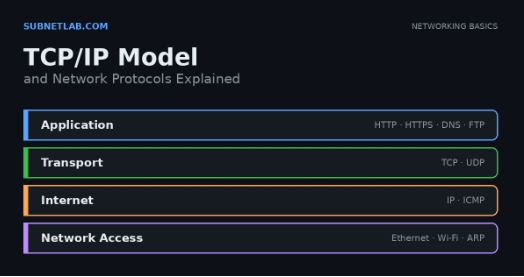 Network BlogAugust 25, 2026TCP/IP Model and Network Protocols Explained:TCP, UDP, ICMP, Handshakes, Flags, and Data Flow
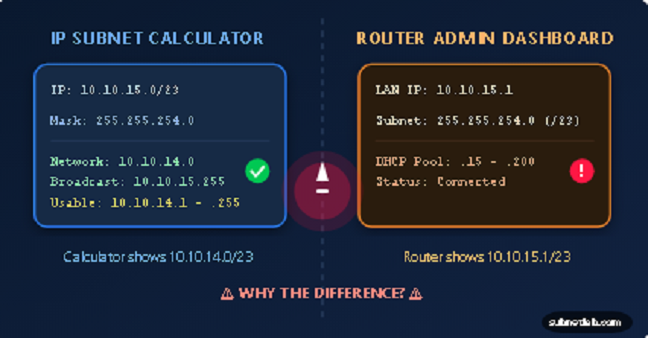 Network BlogAugust 11, 2026Router vs Calculator Showing Different Subnets? Why & the Fix
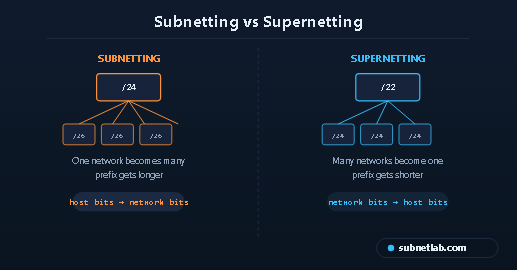 Network BlogAugust 6, 2026Supernetting Explained: The Opposite of Subnetting
 Network BlogAugust 5, 2026Ping Command Explained:Your First Tool for Network Troubleshooting