
You are staring at your server logs. Everything looks fine. The server is running. Connections are coming in. But the IP addresses look wrong.
🖥️
::ffff:192.168.1.45That is not what you expected. You expected
192.168.1.45. A normal IPv4 address. Clean. Simple.Instead, you got this strange ::ffff: thing glued to the front of it. Is something broken? Did you configure the server wrong? Is this a security issue?
No. No. And no. Here is what is actually happening.
First — what is ::ffff?
The ::ffff: prefix means one thing: this is an IPv4 address written in IPv6 format. That is it. That is the whole answer.
When you see ::ffff:192.168.1.45, the actual address is 192.168.1.45. Your device is IPv4. Your client is IPv4. The traffic is IPv4. The ::ffff: part is just a wrapper your operating system added automatically.
This type of address has a formal name: an IPv4-mapped IPv6 address. It is defined in RFC 4291 — the IETF document that describes how IPv6 addresses work. Engineers created this format so that IPv6 systems could represent IPv4 addresses in a consistent way without breaking everything.
🌍
::ffff: prefix is just IPv6, saying the address in its own language.Why does your system add ::ffff: automatically?
Because of something called dual-stack mode.
Your operating system — Linux, Windows, macOS — runs both IPv4 and IPv6 at the same time. This is called dual-stack. When your server opens an IPv6 socket to listen for connections, it wants to accept any client — IPv4 or IPv6, it does not matter.
But here is the problem. IPv4 addresses and IPv6 addresses look completely different. Your IPv6 socket does not understand plain 192.168.1.45. So the OS steps in, quietly, and converts it.
It takes the incoming IPv4 address and wraps it in IPv4-mapped IPv6 format — ::ffff:192.168.1.45 — and passes that to your application.
You never asked it to do this. It just does it. Every time. On every major operating system. That is why you see it in your logs.
The structure — if you want to understand the math
An IPv6 address is 128 bits long. Here is how those 128 bits are arranged in an IPv4-mapped address:
The double colon :: in ::ffff: is just IPv6 shorthand for “a long run of zeros.” So ::ffff: expands to 0000:0000:0000:0000:0000:ffff: — eighty zero bits followed by sixteen one-bits. After that comes your 32‑bit IPv4 address. 128 bits total. That is all it is.
Where you will actually see this
Here are real places this shows up. You have probably already seen one of them.
🐍 Python Flask or FastAPI
# Your server prints this:
        Request from: ::ffff:127.0.0.1    # that is just localhost
        Request from: ::ffff:192.168.1.5  # that is a device on your network

        # To get the clean IPv4 address in Python:
        ip = request.remote_addr
        if ip.startswith("::ffff:"):
        ip = ip[7:]
        # Now ip = "192.168.1.5"
🟢 Node.js / Express
app.get('/', (req, res) => {
        console.log(req.socket.remoteAddress);
        // Prints: ::ffff:192.168.0.10
        });
🐧 Linux — ss or netstat command
$ ss -tnp
        ESTAB  ::ffff:10.0.0.5:443   ::ffff:203.0.113.12:51234
In all three cases: same reason, same fix. An IPv6 socket is handling an IPv4 connection. The OS mapped it automatically.
For CCNA and CCNP students — the exam version
If you are studying for Cisco certifications, here is the clean summary of what you need to know about IPv4-mapped addresses and how they relate to other IPv6 address types.
| Address Type | Prefix | Example | Still Used? |
|---|---|---|---|
| IPv4‑mapped | ::ffff:0:0/96 |
::ffff:192.168.1.1 |
|
| IPv4‑compatible | ::/96 |
::192.168.1.1 |
|
| 6to4 | 2002::/16 |
2002:c0a8:0101::/48 |
|
| Teredo | 2001::/32 |
2001:0:… |
|
| Native IPv6 | 2000::/3 |
2001:db8::1 |
|
| Link‑local | fe80::/10 |
fe80::1 |
|
| Loopback | ::1/128 |
::1 |
📘
CCNA / CCNP tip: The thing that catches most students out is confusing IPv4‑mapped (::ffff:) with IPv4‑compatible (::). They look similar. But IPv4‑compatible is deprecated—it was retired years ago. It is only used in modern systems.
Also note: it ::ffff: is not a tunneling mechanism. It does not carry traffic over IPv6 infrastructure. It is purely a notation format used inside the OS. 6to4 and Teredo are tunneling—a completely different topic.
How to convert an IPv4 address to ::ffff: format manually
Let us walk through it with a real example. IPv4 address: 10.20.30.40
- Start with 80 zero bits — written as
0000:0000:0000:0000:0000 - Add the FFFF marker —
0000:0000:0000:0000:0000:ffff - Append the IPv4 address in dotted‑decimal —
::ffff:10.20.30.40 - Or in full hex — convert each octet: 10=0a, 20=14, 30=1e, 40=28 → pair them:
::ffff:0a14:1e28
Both are valid. Most tools show the dotted‑decimal version because it is easier to read.
If you do not want to do this manually, the IPv4 to IPv6 converter on SubnetLab does it instantly — and shows you all three formats at once: the mapped form, the full expanded form, and the 6to4 notation.
Three things to actually do when you see ::ffff:
Most of the time — nothing. But here are the three cases where you need to act:
1. You are doing IP filtering or rate limiting in code
If your application compares incoming IPs against an allow‑list or block‑list, you need to strip ::ffff: first. Otherwise ::ffff:192.168.1.1 will never match 192.168.1.1 in your list, even though they are the same address.
# Python — strip the prefix before comparing
        ip = raw_ip.replace("::ffff:", "") if raw_ip.startswith("::ffff:") else raw_ip
2. Your firewall or WAF is rejecting internal connections
Older WAF rules and IDS configurations sometimes do not recognise ::ffff:10.x.x.x as a private IP. They see an IPv6 address and do not match it against their IPv4 trust rules. Update your security rules to handle both plain IPv4 and the ::ffff: mapped form.
3. You are doing geo‑IP lookup
Most geo‑IP libraries handle this fine, but some older ones fail silently when given a ::ffff: address. Always strip the prefix before passing to any IP lookup function.
Quick FAQ
::ffff: addresses does not mean any traffic is travelling over IPv6. It means your socket is IPv6. The connection and the client are still IPv4.::ffff:127.0.0.1 is just your machine talking to itself. Same as 127.0.0.1, just in IPv4‑mapped format.::ffff: is notation — the OS uses it to represent IPv4 addresses in an IPv6 socket. No tunnelling, no routing change. 2002:: is 6to4 tunnelling — actual IPv6 traffic wrapped inside IPv4 packets to travel across IPv4 infrastructure. Completely different things.IPV6_V6ONLY on your socket to disable it. This makes your IPv6 socket accept only IPv6 connections, so it will never auto‑map IPv4 addresses. You would then need a separate IPv4 socket to handle IPv4 clients. Most servers leave the default mapping on because it is simpler.203.0.113.5 will appear as ::ffff:203.0.113.5 in your logs. Make sure your blocking rules, SIEM, and WAF all understand IPv4‑mapped notation.The one‑paragraph summary
::ffff: is a 96‑bit prefix that marks an IPv4‑mapped IPv6 address. Your OS adds it automatically when an IPv4 client connects to a server running on an IPv6 socket in dual‑stack mode. The real address is whatever comes after ::ffff:. It is defined in RFC 4291, it is completely normal, and the only time you need to do anything about it is when your code is parsing or comparing IP addresses. That is it.
🔗
Author Profile
-
Muhammad Kazim Ali – Owner & Principal Engineer at SubnetLab.com (real-world networking labs).
10+ years in routing, switching & infrastructure design. Helps students, pros & enterprises master networking via practical labs. Based in Lahore, works with ISPs, data centers & tech teams.
📞 +92 343 5201037 (WhatsApp) | ✉️ subnetlab.official@gmail.com | 🌐 subnetlab.com
Latest entries
 Network BlogAugust 25, 2026TCP/IP Model and Network Protocols Explained:TCP, UDP, ICMP, Handshakes, Flags, and Data Flow
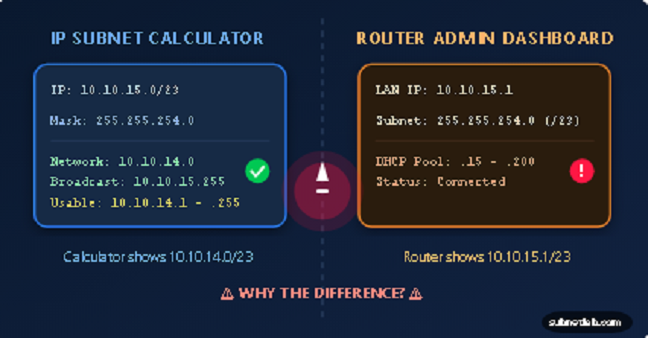 Network BlogAugust 11, 2026Router vs Calculator Showing Different Subnets? Why & the Fix
 Network BlogAugust 6, 2026Supernetting Explained: The Opposite of Subnetting
 Network BlogAugust 5, 2026Ping Command Explained:Your First Tool for Network Troubleshooting