
Running both protocols in parallel is still the most reliable path through the IPv6 transition. But “install dual stack and reboot” is not a strategy. This guide covers everything from addressing architecture to Happy Eyeballs tuning, firewall policy, and Kubernetes configuration — drawn from real deployments.
I have watched organisations spend months planning an IPv6 rollout only to flip a switch, watch half their monitoring go dark, and roll back inside a change window. The culprit is almost never IPv6 itself. It is the gap between understanding that dual stack means running both protocols simultaneously and understanding what that actually implies for DNS, firewall policy, routing tables, and application behaviour. This article is an attempt to close that gap.
If you are responsible for an enterprise network — whether on-premises, cloud-native, or hybrid — this guide gives you a structured path through every layer of a real dual stack deployment.
What is Dual Stack? Why It’s the Safest Transition
Dual stack is the IETF-recommended coexistence mechanism defined in RFC 4213, in which every host, router, and interface on a network operates both IPv4 and IPv6 natively at the same time. Neither protocol is tunnelled through the other. Both have independent addresses, independent routing tables, and independent data paths.
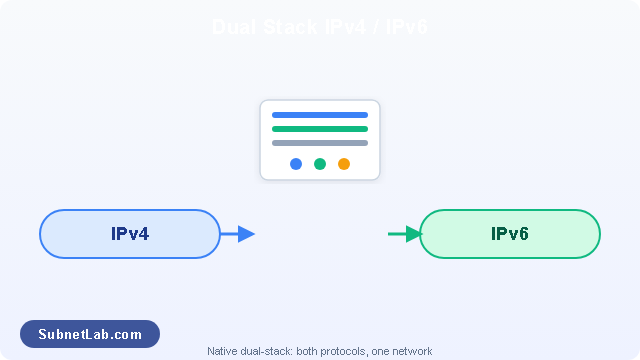
A dual-stack host chooses which protocol to use for each connection based on the destination address family returned by DNS.The alternative transition mechanisms 6to4, Teredo, NAT64/DNS64, and 464XLAT are useful in constrained environments, but they all introduce translation or encapsulation overhead, create hidden failure modes, and reduce end-to-end transparency. For an enterprise network where you control both endpoints, native dual stack is cleaner in every dimension.
A significant portion of internet infrastructure, SaaS applications, and enterprise vendor tooling remains IPv4-only in 2026. An IPv6-only network forces you to run NAT64/DNS64 or a Proxy64 layer for every outbound connection to IPv4 services. Dual stack eliminates this for zero transition overhead on existing IPv4 connectivity, while progressively building your IPv6 operational muscle.
| Mechanism | How it works | Risk in enterprise | IETF status |
|---|---|---|---|
| Dual stack | Both protocols native on every interface | Low | RFC 4213 – Recommended |
| 6to4 | IPv6 tunnelled in IPv4 packets | High | RFC 6343 – Deprecated |
| Teredo | IPv6 via UDP through NAT | High | RFC 4380 – Legacy |
| NAT64/DNS64 | Stateful IPv4↔IPv6 translation at border | Medium | RFC 6146 – Niche use |
| 464XLAT | Client-side CLAT + carrier-side PLAT | Medium | RFC 6877 – Mobile/ISP |
One nuance that surprises network engineers coming from IPv4-only backgrounds: dual stack does not mean your network complexity simply doubles. The control plane carries two protocol stacks, yes — but most modern routing platforms handle this efficiently. Where complexity genuinely increases is in security policy, DNS management, and monitoring. Those are the areas this guide focuses on.
Addressing Architecture – SLAAC, DHCPv6, or Both?
One of the first architectural decisions in any dual stack deployment is how IPv6 addresses are assigned to hosts. IPv4 gave you essentially one answer: DHCP (or static). IPv6 gives you three, and choosing the wrong one for your environment creates operational debt that is difficult to unwind later.
SLAAC — Stateless Address Autoconfiguration
SLAAC (defined in RFC 4862) allows hosts to self-configure a global unicast address without any server involvement. A router sends a Router Advertisement (RA) containing the network prefix; the host appends a 64-bit interface identifier — either generated from its MAC address using EUI-64, or a privacy-extension random value (RFC 8981) — to form a full /128 address.
SLAAC is operationally elegant: no DHCP server to maintain, no lease database to back up, no single point of failure for address assignment. For most enterprise client VLANs, it is the right default. The limitation is that SLAAC provides no mechanism to assign DNS server addresses or other options — you need a separate Router Advertisement Option (RDNSS, RFC 8106) or a stateless DHCPv6 server alongside it.
DHCPv6 — Stateful and Stateless Modes
DHCPv6 (RFC 8415) gives you the centralised address management and audit trail that enterprise compliance teams typically require. In stateful mode, the DHCPv6 server assigns specific addresses from a pool and maintains a lease database, exactly as DHCPv4 does. In stateless mode, addresses still come from SLAAC but the DHCPv6 server supplements them with DNS servers, NTP addresses, and domain search lists.
In a 4,000-seat financial services network I worked on, the security team initially insisted on stateful DHCPv6 everywhere — they wanted address-to-MAC binding just as they had with DHCPv4. Eighteen months later, they relaxed this for workstation VLANs after discovering that RFC 8981 privacy addresses were already appearing in endpoint detection logs regardless, because Windows and macOS use them for outbound connections even when assigned a DHCPv6 address. SLAAC + stateless DHCPv6 turned out to be a better fit. Server VLANs still use stateful DHCPv6 with static reservations — and that distinction has stuck.
| Method | Address assignment | DNS options | Lease audit trail | Best fit |
|---|---|---|---|---|
| SLAAC only | Host-generated (EUI-64 or random) | RDNSS RA option | None | Small offices, IoT VLANs |
| SLAAC + stateless DHCPv6 | Host-generated | DHCPv6 server | None | Enterprise workstation VLANs |
| Stateful DHCPv6 | Server-assigned | DHCPv6 server | Full lease log | Server, PCI/HIPAA VLANs |
| Static /128 | Manual | Manual | IPAM | Infrastructure: routers, firewalls, load balancers |
SLAAC requires a /64 prefix on every host-facing subnet. If you plan to use SLAAC anywhere on a network, your addressing plan must allocate /64 blocks to all LAN segments — not larger prefixes like /96. This is a hard technical constraint: EUI-64 interface identifiers are 64 bits, and the address formation algorithm defined in RFC 4862 does not work with shorter host portions.
Prefix Delegation for Branch Sites
In enterprise WAN environments, individual branch sites typically receive their IPv6 prefix via DHCPv6 Prefix Delegation (PD), defined in RFC 8415 Section 6.3. The CE (customer edge) router requests a prefix — typically a /48 or /56 — from the upstream PE (provider edge) or from the enterprise’s centralised DHCPv6 infrastructure. The CE router then sub-delegates /64 blocks to local interfaces. This mirrors the architecture used by residential ISPs in their own DHCPv6 rollouts, and it scales cleanly to hundreds of branch sites without manual addressing intervention.
Step-by-Step Configuration Best Practices
Router and Interface Configuration
The following examples use Cisco IOS-XE syntax, which is representative of the patterns you will encounter across most enterprise routing platforms. The logical structure maps closely to Junos, Arista EOS, and Nokia SR OS — the commands differ but the concepts translate directly.
Cisco IOS-XE — dual stack interface
! Enable IPv6 routing globally (required before any IPv6 config)
ipv6 unicast-routing

! Configure a Layer 3 access interface with both protocol families
interface GigabitEthernet0/0/1
  ! IPv4 — standard dotted-decimal address
  ip address 10.10.1.1 255.255.255.0

  ! IPv6 — global unicast address from your /48 allocation
  ipv6 address 2001:db8:a:1::1/64

  ! Enable the interface to send Router Advertisements (for SLAAC)
  ipv6 nd prefix 2001:db8:a:1::/64

  ! M-flag=0 O-flag=1 → SLAAC addresses + stateless DHCPv6 for options
  ipv6 nd managed-config-flag        ! set only for stateful DHCPv6
  ipv6 nd other-config-flag

  ! Suppress RA on untrusted (client) segments where appropriate
  ipv6 nd ra suppress all            ! use on uplinks, not host segments
  no shutdown
On access switches, enable IPv6 RA Guard on all ports connected to end hosts. Rogue Router Advertisements — whether from a misconfigured host, a VM hypervisor, or a deliberate attack — can redirect all IPv6 traffic on a segment in seconds. RA Guard (RFC 6105) is the IPv6 equivalent of DHCP snooping, and it should be a default in every access layer deployment.
DNS and A/AAAA Record Strategy
DNS is where most dual stack deployments either get things right or quietly fail. The operating principle is simple: for every service that you want reachable over IPv6, publish both an A record (IPv4) and an AAAA record (IPv6). When a host’s resolver returns both record types, the operating system applies the address selection algorithm from RFC 6724 — and if Happy Eyeballs (RFC 8305) is implemented, it will race both connections and use whichever responds first.
| Hostname | Record type | Value | Purpose |
|---|---|---|---|
web01.corp.example.com |
A | 10.10.1.100 |
IPv4 reachability |
web01.corp.example.com |
AAAA | 2001:db8:a:1::100 |
IPv6 reachability |
smtp.corp.example.com |
A | 10.10.2.25 |
Mail server IPv4 |
smtp.corp.example.com |
AAAA | 2001:db8:a:2::25 |
Mail server IPv6 |
legacy-app.corp.example.com |
A only | 10.10.5.50 |
IPv4-only service — no AAAA published |
A critical operational point: do not publish a AAAA record for a service until that service is fully reachable over IPv6. A reachable A record and a broken AAAA record creates a scenario where clients with working IPv6 connectivity will try the IPv6 path, fail, and then fall back to IPv4 — but the fallback adds latency. On networks without Happy Eyeballs implemented (older Windows versions, some embedded systems), that failure causes a full connection timeout before the fallback. The result is an application that “works but is slow” and generates support tickets for months before someone traces it to a stale DNS record.
One organisation I supported had a SharePoint farm with a AAAA record pointing to an address that existed in DNS but had no corresponding firewall rule. Every client with IPv6 connectivity experienced a 20-second delay opening documents. The fix was two lines in the firewall config — but finding it took three days because nobody thought to check IPv6 first. Since then, my standard advice is to test IPv6 reachability explicitly before publishing any AAAA record, and to monitor AAAA lookups in your DNS analytics separately from A record traffic.
Firewall and Security Policy
The single most common security gap in dual stack deployments is an asymmetric firewall policy: detailed, well-tested IPv4 rules built up over years, and a near-empty IPv6 rule set that either permits everything or blocks everything. Both extremes are dangerous.
- 1Start with a default-deny posture on both protocol families. Block all IPv6 traffic inbound at your perimeter by default, then add permit rules that mirror your IPv4 policy. Do not assume that “nobody uses IPv6 yet” means IPv6 traffic isn’t arriving at your border — it is, from scanners and opportunistic probes.
- 2Permit required ICMPv6 message types. Unlike IPv4 where blocking ICMP is sometimes defensible, blocking all ICMPv6 breaks IPv6 fundamentally. Path MTU Discovery (type 2), Neighbor Discovery (types 133–137), and Router Advertisement (type 134) are required for protocol operation. See RFC 4890 for the authoritative list of ICMPv6 types that must be permitted across security boundaries.
- 3Block extension headers you do not need. IPv6 extension headers — particularly the hop-by-hop options header and the routing header type 0 — have been used in amplification attacks. Most enterprise firewalls can filter specific extension header types. Block routing header type 0 (deprecated in RFC 5095) at every border.
- 4Apply the same zone model to both protocol families. If your IPv4 policy separates DMZ, internal, and management zones, replicate that topology in IPv6. A common gap is a flat IPv6 internal zone that allows lateral movement between segments that IPv4 policy carefully separates.
- 5Audit link-local reachability. Link-local addresses (
fe80::/10) are used for Neighbor Discovery and Router Advertisements but should never be routed beyond a single segment. Verify that your routing policy does not inadvertently accept or redistribute link-local prefixes.
| ICMPv6 type | Name | Required at perimeter? | Notes |
|---|---|---|---|
| 1 | Destination Unreachable | Yes | Required for correct error handling |
| 2 | Packet Too Big | Yes | Required for Path MTU Discovery |
| 3 | Time Exceeded | Yes | Required for traceroute diagnostics |
| 128/129 | Echo Request / Reply | Recommended | Needed for ping-based monitoring |
| 133–137 | Neighbor Discovery (ND) | Yes (internal) | Should not cross internet boundary |
| 143 | MLDv2 Report | Internal only | Multicast listener discovery |
Performance & Operational Tuning
Happy Eyeballs and Preference Policies
Happy Eyeballs version 2 (RFC 8305) is the algorithm implemented in modern operating systems and browsers to handle the scenario where a destination has both A and AAAA records. Rather than trying IPv6 first and waiting for a full timeout before falling back, Happy Eyeballs initiates both IPv4 and IPv6 connection attempts in parallel — with a default delay of 250 milliseconds between the IPv6 attempt and the IPv4 attempt — and uses whichever completes successfully first.
In a well-functioning dual stack network, IPv6 should win most of those races because it avoids NAT traversal overhead. If you observe the opposite — IPv4 consistently winning in your application logs — that is a diagnostic signal: your IPv6 path likely has higher latency than your IPv4 path, often due to suboptimal routing through an IPv6 transit provider, a tunnelled segment somewhere in the path, or an asymmetric peering arrangement.
On Linux systems, the Happy Eyeballs delay is controlled by the net.ipv6.conf.default.ratelimit parameter and application-level settings. For internal enterprise networks where IPv6 path latency is well-understood and consistently low, some organisations lower the delay to 50–100ms. For internet-facing applications with unpredictable IPv6 path quality, the RFC default of 250ms provides a safer buffer.
MTU and Fragmentation Handling
IPv6 eliminates in-path fragmentation by routers. A router encountering an IPv6 packet larger than the outgoing link MTU drops the packet and sends back an ICMPv6 Packet Too Big message (type 2) to the source. The source is then responsible for retransmitting at a smaller size. This is Path MTU Discovery (PMTUD), and it is elegant in theory — but it breaks silently whenever Packet Too Big messages are blocked by a firewall, a practice sometimes called “PMTUD black holes.”
The minimum MTU for IPv6 is 1,280 bytes (versus 576 for IPv4), but most enterprise Ethernet segments operate at 1,500 bytes. The problem arises at tunnel interfaces — GRE, IPsec, VXLAN — where encapsulation overhead reduces the effective payload MTU. A common deployment pattern is:
| Link type | Typical MTU | Recommendation |
|---|---|---|
| LAN Ethernet (access) | 1500 | Use 1500; enable jumbo frames (9000) for server VLANs if supported end-to-end |
| WAN Ethernet (MPLS) | 1500 or 4470 | Confirm with provider; negotiate jumbo if running VXLAN overlay |
| GRE tunnel | 1476 | Set inner MTU to 1452 for IPv6-in-GRE-in-IPv4 (40+24 byte overhead) |
| IPsec ESP (AES-128) | ~1422 | Set MSS clamping on TCP; enable PMTUD on IKEv2 tunnel endpoints |
| VXLAN | ~1450 | Enable jumbo frames on underlay; set overlay MTU explicitly |
For TCP connections, the cleanest solution is TCP MSS clamping at tunnel endpoints: the router rewrites the TCP MSS field in SYN packets to match the actual path MTU, preventing oversized segments from ever being sent. For non-TCP protocols (UDP, SCTP), you need to ensure Packet Too Big messages reach their source — which means ensuring your firewall policy permits ICMPv6 type 2, as covered in the security section above.
Common Dual Stack Problems and Fixes
After helping numerous organisations through dual stack deployments, these are the problems that appear most often — and the diagnostic steps that resolve them fastest.
| Symptom | Most likely cause | First diagnostic step | Fix |
|---|---|---|---|
| Connections slow on first attempt, fast on retry | Broken AAAA record; Happy Eyeballs fallback | dig AAAA hostname then test IPv6 reachability separately |
Remove AAAA or fix IPv6 path to the service |
| Hosts get IPv6 address but can’t reach internet | Missing default IPv6 route; no upstream IPv6 transit | show ipv6 route — verify ::/0 exists |
Add static default or configure BGP/OSPFv3 for IPv6 |
| IPv6 works on some VLANs, not others | RA not reaching those segments; RA Guard misconfigured | radvd -d -n -C radvd.conf or check show ipv6 nd interface |
Verify RA Guard policy; confirm RA sending is enabled on the SVI |
| Large file transfers drop on IPv6 path | PMTUD black hole; ICMPv6 type 2 blocked | Send 1400-byte and 1500-byte pings; compare results | Permit ICMPv6 type 2 through firewall; apply MSS clamping |
| IPv6 traffic bypasses proxy/DLP tools | Proxy configured for IPv4 only | Check proxy logs for IPv6 source addresses | Add IPv6 listeners to proxy; update PAC file to include IPv6 ranges |
| Monitoring shows rogue RAs on segment | VM or container sending unauthorised RAs | tcpdump -i eth0 icmp6 and ip6[40]==134 |
Enable RA Guard on access ports; trace RA source MAC to port |
| Address assignment inconsistent after SLAAC | Privacy extensions generating multiple addresses | Check ip -6 addr show — look for temporary addresses |
Set net.ipv6.conf.all.use_tempaddr = 0 for servers, leave enabled for workstations |
The most insidious dual stack failure mode is traffic taking an unexpected IPv6 path that bypasses your IPv4 security controls entirely. If your intrusion detection system, DLP tool, or web proxy only inspects IPv4, and Happy Eyeballs routes sessions over IPv6, those sessions are invisible to your security stack. Audit every security inline device for IPv6 support before enabling AAAA records for internal services.
Dual Stack in Cloud and Kubernetes
Cloud-native environments introduce additional complexity because the control plane for addressing is abstracted — you are configuring VPC route tables and CNI plugins rather than router interfaces, and the dual stack behaviour is determined by platform-level settings rather than individual interface commands.
AWS VPC Dual Stack
AWS enables dual stack on a VPC by associating an IPv6 CIDR block — automatically assigned from Amazon’s 2600:1f00::/24 range — alongside the IPv4 block. Each subnet then gets a /64 IPv6 prefix, and EC2 instances receive an IPv6 address either at launch time or via DHCP. Key operational notes:
- 1All VPC IPv6 addresses are publicly routable — there is no IPv6 NAT in AWS. Security groups are the primary access control layer. Ensure your inbound rules are explicit for IPv6 CIDRs, not just IPv4.
- 2 Internet-facing Application Load Balancers can be configured in dualstack IP address type, serving both A and AAAA records automatically via Route 53. Internal NLBs require explicit IPv6 target group configuration.
- 3VPC peering connections and Transit Gateway attachments require separate IPv6 route table entries. An IPv6 prefix in a peered VPC is not automatically routable — you must add the route explicitly, just as you would for IPv4.
Kubernetes Dual Stack (k8s 1.21+)
Kubernetes native dual stack has been stable since version 1.21. To enable it, the cluster must be configured with dual stack CIDR blocks for both pods and services:
kubeadm — dual stack cluster init
apiVersion: kubeadm.k8s.io/v1beta3
kind: ClusterConfiguration
networking:
  # IPv4 first = IPv4-primary; swap order for IPv6-primary
  podSubnet: "10.244.0.0/16,fd10::/48"
  serviceSubnet: "10.96.0.0/12,fd20::/108"
Services with ipFamilyPolicy: PreferDualStack receive both an IPv4 ClusterIP and an IPv6 ClusterIP. The CNI plugin (Calico, Cilium, or Flannel with VXLAN) must also be configured for dual stack — this is plugin-specific and is the most common source of deployment failures in Kubernetes dual stack rollouts. Cilium in particular provides the cleanest dual stack support in 2026 and is the recommended CNI for new clusters where IPv6 is a requirement.
For the authoritative specification of Happy Eyeballs Version 2 and its interaction with dual stack DNS resolution, see RFC 8305 at rfc-editor.org. This document defines the 250ms delay algorithm, address sorting behaviour, and the role of getaddrinfo() in modern dual stack clients. It is the single most important reference for understanding why dual stack client behaviour can appear inconsistent across operating systems.
Testing Your Dual Stack Deployment
Testing dual stack is not simply running a ping on both protocol families and declaring success. A complete validation suite needs to verify address assignment, routing, DNS, security policy, and application behaviour under failure conditions — particularly the failure of one protocol family while the other remains up.
| Test | Command / method | Expected result |
|---|---|---|
| IPv6 address assigned | ip -6 addr show |
Global unicast address present, no link-local only |
| Default IPv6 route | ip -6 route show default |
::/0 via <gateway> |
| IPv6 internet reachability | ping6 2001:4860:4860::8888 |
ICMP Echo Reply received |
| AAAA record resolution | dig AAAA ipv6.google.com |
Returns 2607:f8b0:... addresses |
| PMTUD validation | ping6 -s 1452 <remote> |
Reply received; if not, check ICMPv6 type 2 |
| Rogue RA detection | tcpdump icmp6 and ip6[40]==134 |
Only authorised router MAC addresses sending RAs |
| IPv6 failover to IPv4 | Block IPv6 at default GW, then open browser | Connections succeed over IPv4 after Happy Eyeballs fallback |
| IPv4 failover to IPv6 | Block IPv4 DG, test IPv6-capable services | Sessions are established over IPv6 without user intervention |
| Security policy parity | Nmap IPv6 scan: nmap -6 <target> |
Same open ports as IPv4 scan; no unexpected services |
| DNS negative for IPv4-only services | dig AAAA legacy-app.corp.example.com |
NOERROR with empty answer section — no AAAA returned |
The failover tests — deliberately breaking one protocol family — are the most valuable and the most commonly skipped. Happy Eyeballs fallback sounds straightforward in an RFC but behaves differently across operating systems, browsers, and application runtimes. Test it under realistic load with realistic application types. A curl request with a 250 ms Happy Eyeballs delay is not a representative test for a WebSocket connection or an SMB file transfer.
For ongoing monitoring, consider exporting separate metrics for IPv4 and IPv6 traffic volumes from your perimeter firewall and core routers. A sudden drop in IPv6 traffic share — say, from 40% to 5% of internet-bound sessions — is a reliable signal that something in your IPv6 path has broken, often before any users raise a ticket, because Happy Eyeballs silently falls back to IPv4.
You can use SubnetLab’s tools to support your addressing validation throughout deployment. The IPv6 Subnet Calculator helps verify prefix boundaries and host counts when laying out your /48 allocation, and the IPv6 Validator is useful for checking address syntax before entering values into router or firewall configs.
Frequently Asked Questions
fc00::/7 — specifically the fd00::/8 sub-range — for internal IPv6 connectivity without requesting a public prefix from your ISP or an RIR./48 or /56 prefix as part of business broadband contracts; if yours does not, a /48 is available from ARIN, RIPE, or APNIC through a sponsoring LIR.ipv6 unicast address family to an existing BGP neighbour relationship rather than establishing a new session./64 for all host-facing subnets regardless of how many hosts they contain. This is architecturally non-negotiable for subnets using SLAAC. For server subnets using only static addressing or stateful DHCPv6, using a /64 remains the recommendation because it ensures future compatibility, simplifies routing policy ./64), and avoids the operational complexity of explaining why the server VLAN has a different prefix length to every engineer who looks at the addressing plan. The concern that a /64 “wastes” 264 addresses per subnet is not a practical constraint given that IPv6 provides 2128 total addresses: your entire /48 allocation contains 65,536 /64 subnets. Use them freely.Further Reading on SubnetLab
Dual stack configuration sits at the intersection of IPv4 and IPv6 knowledge. If any section of this guide surfaced gaps in your addressing or subnetting fundamentals, these SubnetLab resources cover the adjacent topics in depth:
| Resource | What it covers |
|---|---|
| IPv6 Subnet Calculator | Prefix boundaries, host counts, and sub-prefix generation for your /48 or /56 allocation |
| IPv6 Address Validator | Syntax checking for IPv6 addresses before entering them into router or firewall configs |
| IPv4 to IPv6 Converter | Generate IPv4-mapped IPv6 addresses (::ffff:x.x.x.x) and understand address family representation |
| CIDR to IP Range Converter | Expand any CIDR prefix — IPv4 or IPv6 — to its first and last address for firewall rule planning |
| VLSM Calculator | Variable-length subnet allocation for IPv4 address plans — essential for legacy segments in dual stack environments |
Dual stack is not a destination — it is the road. You will run both protocols in parallel for longer than anyone’s original transition timeline predicted, which means the operational excellence you build around dual stack is not temporary scaffolding. It is infrastructure. Build it deliberately, test both paths explicitly, keep your security posture symmetrical across protocol families, and treat any gap in IPv6 monitoring as the same priority as a gap in IPv4 monitoring. The network does not care which protocol delivers the packet. Your users certainly do not. Your security team should.
SubnetLab is a free networking reference and tool suite at subnetlab.com. This article references RFC 4213 (dual stack), RFC 4862 (SLAAC), RFC 8415 (DHCPv6), RFC 6724 (address selection), RFC 8305 (Happy Eyeballs v2), RFC 4890 (ICMPv6 filtering), and RFC 5095 (routing header type 0 deprecation). Configuration examples use Cisco IOS-XE 17.x syntax. Kubernetes examples are valid for k8s 1.21+. AWS VPC behaviour reflects the 2026 console and API.
Author Profile

-
Muhammad Kazim Ali – Owner & Principal Engineer at SubnetLab.com (real-world networking labs).
10+ years in routing, switching & infrastructure design. Helps students, pros & enterprises master networking via practical labs. Based in Lahore, works with ISPs, data centers & tech teams.
📞 +92 343 5201037 (WhatsApp) | ✉️ subnetlab.official@gmail.com | 🌐 subnetlab.com
Latest entries
 Network BlogAugust 25, 2026TCP/IP Model and Network Protocols Explained:TCP, UDP, ICMP, Handshakes, Flags, and Data Flow
 Network BlogAugust 11, 2026Router vs Calculator Showing Different Subnets? Why & the Fix
 Network BlogAugust 6, 2026Supernetting Explained: The Opposite of Subnetting
 Network BlogAugust 5, 2026Ping Command Explained:Your First Tool for Network Troubleshooting