

Every time a router decides where to forward a packet, it performs a calculation most network engineers have done by hand at least once: comparing an IP address to a subnet mask, bit by bit, to determine the network ID. That process lives and dies on your ability to move fluidly between binary and decimal notation. If you have ever stared at 11000000.10101000.00000001.00000001. and felt your eyes glaze over, this guide is for you.
We will walk through why the binary number system underpins all of IPv4 addressing, how the conversion math actually works (no memorisation required), and how tools like SubnetLab’s binary-to-decimal converter let you verify your work instantly. By the end, converting an octet like 11000000 to 192 will feel as natural as reading a post code.
“You cannot truly understand subnetting without understanding why 255 equals 11111111 and 192 equals 11000000. Everything else in IP networking follows from that single insight.”
Why Binary Matters in IPv4 Networking
An IPv4 address is a 32-bit number. The familiar dotted-decimal format say,192.168.1.100 is purely a human convenience. Routers, switches, and operating system kernels never see those numbers with dots; they manipulate 32 consecutive bits stored in memory or register hardware.
Those 32 bits are divided into four groups of eight, each called an octet. Because eight bits can express values from 0 (00000000) to 255 (11111111), each octet maps to a number in that range. The human-readable address you type into a browser is simply four decimal representations of four 8-bit binary groups, joined by periods.
Subnet masks work the same way. A mask like 255.255.255.0 is really 11111111.11111111.11111111.00000000 in binary. The contiguous block of 1-bits on the left marks the network portion of an address; the 0-bits on the right mark the host portion. That boundary is what CIDR notation compresses into the slash after the address — /24 simply means 24 consecutive 1-bits in the mask.
How Positional Value Works: The Foundation of the Conversion
The decimal system is base 10 each digit position represents a power of ten: ones, tens, hundreds, thousands. The binary system is base 2—each position represents a power of two. Within an 8-bit octet, those eight positions carry the following weights, reading left to right from the most significant bit to the least:
| Bit position | 8th (leftmost) | 7th | 6th | 5th | 4th | 3rd | 2nd | 1st (rightmost) |
|---|---|---|---|---|---|---|---|---|
| Power of 2 | 27 | 26 | 25 | 24 | 23 | 22 | 21 | 20 |
| Decimal weight | 128 | 64 | 32 | 16 | 8 | 4 | 2 | 1 |
To convert any binary octet to decimal, you simply add up the weights of every position that holds a 1. The positions holding a 0 contribute nothing. That is the entire algorithm.
Worked Example 1 — Converting 11000000 (the First Octet of 192.168.x.x)
The address block 192.168.0.0/16 is one of the three private IPv4 ranges defined in RFC 1918, and it is probably the network range most home users and small offices live on. The first octet, 192 in binary is 11000000.
128
64
32
16
8
4
2
1
Active bits: position 7 (128) and position 6 (64). Sum: 128 + 64 = 192. That is all there is to it.
Worked Example 2 — The Full Address 192.168.1.1
Let us expand this to a complete address. The loopback of enterprise networks
192.168.1.1 is the default gateway address on millions of home routers worldwide. Here is its full binary expansion and the decimal derivation for each octet:
| Octet | Binary | Active weights | Decimal |
|---|---|---|---|
| 1st | (11000000) | 128 + 64 | 192 |
| 2nd | (10101000) | 128 + 32 + 8 | 168 |
| 3rd | (00000001) | 1 | 1 |
| 4th | (00000001) | 1 | 1 |
Reading the binary form of the second octet, (10101000), reveals a useful pattern: alternating 1s in the high bits. Weights 128, 32, and 8 are active; 128 + 32 + 8 = 168. Recognising these common patterns speeds up mental subnetting dramatically during exams or on-the-fly troubleshooting.
Subnet Masks and CIDR — Where the Conversion Becomes Operationally Critical
Understanding how a binary-to-decimal conversion works is academic until you connect it to how a router actually makes forwarding decisions. That connection runs through the bitwise AND operation.
When a host needs to determine whether a destination IP address is on the same subnet, the operating system ANDs the destination address with the local subnet mask, then compares the result to the local network ID. A bitwise AND follows one simple rule: the output bit is 1 only when both input bits are 1. In every other combination — 1 and 0, or 0 and 0 — the output is 0.
Worked Example 3 — Finding the Network ID with Bitwise AND
Suppose a device sits at 192.168.1.55 with a subnet mask of 255.255.255.0 (written/24 in CIDR notation).To find network ID.
| Octet 1 | Octet 2 | Octet 3 | Octet 4 | |
|---|---|---|---|---|
| IP address | (11000000) | (10101000) | (00000001) | (00110111) |
| Subnet mask(11111111) | (11111111) | (11111111) | (11111111) | (00000000) |
| AND result (Network ID) | (11000000) | (10101000) | (00000001) | (00000000) |
| Decimal | 192 | 168 | 1 | 0 |
The network ID is 192.168.1.0 . Every bit in the fourth octet was zeroed out by the mask’s 0-bits. The broadcast address for this subnet is the same network ID with all host bits flipped to 1:192.168.1.255. The usable host range sits between those two 192.168.1.1 to 192.168.1.254
giving 254 addressable hosts.
Common Subnet Mask Values — Binary and Decimal Side by Side
In practice, certain subnet masks appear far more often than others. Network engineers end up memorising these combinations because recognising them in a config file or routing table saves considerable time. The table below shows the most frequently encountered masks along with their binary form and the number of host addresses each provides on a single subnet.
| CIDR prefix | Decimal mask | Binary (last octet) | Subnets (from /8) | Usable hosts |
|---|---|---|---|---|
| /8 | 255.0.0.0 | 00000000 | 1 | 16,777,214 |
| /16 | 255.255.0.0 | 00000000 | 256 | 65,534 |
| /24 | 255.255.255.0 | 00000000 | 65,536 | 254 |
| /25 | 255.255.255.128 | 10000000 | 131,072 | 126 |
| /26 | 255.255.255.192 | 11000000 | 262,144 | 62 |
| /27 | 255.255.255.224 | 11100000 | 524,288 | 30 |
| /28 | 255.255.255.240 | 11110000 | 1,048,576 | 14 |
| /29 | 255.255.255.248 | 11111000 | 2,097,152 | 6 |
| /30 | 255.255.255.252 | 11111100 | 4,194,304 | 2 |
| /31 | 255.255.255.254 | 11111110 | — | 2 (point-to-point) |
| /32 | 255.255.255.255 | 11111111 | — | 1 (host route) |
Notice the pattern in the last-octet binary column as the prefix lengthens: it is simply a sequence of 1-bits growing from the left. Each additional bit borrowed from the host portion halves the number of available host addresses while doubling the number of possible subnets.
Using SubnetLab’s Binary-to-Decimal Converter
Doing this conversion manually is excellent for building intuition, but verifying results quickly — especially under exam conditions or during a change window — is where a dedicated tool pays for itself. The SubnetLab binary-to-decimal converter accepts any binary string up to 32 digits and returns the decimal equivalent along with the step-by-step calculation.
- 1Navigate to subnetlab.com/binary-to-decimal-convertor. The input field accepts only 0 and 1.Characters and will reject anything else immediately.
- 2Enter a full octet, such as ‘11001010’, and click Convert to Decimal. The tool returns 168 and shows which bit positions contributed to the sum.
- 3To check a subnet mask, enter its binary representation one octet at a time. For/26, the interesting octet is the last one: enter 11000000 and confirm you get 192, matching the decimal mask 255.255.255.192
- 4For full 32-bit addresses, you can enter all four octets without dots: “11000000.10101000.00000001.00000001”
- returns 3,232,235,777—the unsigned 32-bit integer representation of 192.168.1.1
Real-World Scenarios Where This Knowledge Matters
Binary-to-decimal conversion is not a textbook exercise that disappears once you pass a certification. It surfaces constantly in practical networking work.
Scenario A — Reading Access Control Lists
Cisco IOS and many firewall platforms display ACL entries in binary-masked format internally. When you inspect a rule like permit ip 10.0.0.0 0.255.255.255 the second IP is a wildcard mask — the bitwise inverse of a subnet mask. Converting it to binary (00000000.11111111.11111111.11111111) immediately reveals that the rule matches all addresses in the 10.0.0.0/8 block. Miss this and you misread the policy.
Scenario B — Variable-Length Subnet Masking (VLSM)
When designing an address plan using VLSM, you need to carve a large block into sub-ranges of different sizes to avoid wasting addresses. Knowing that a /28 mask ends in 11110000
tells you each block is 16 addresses wide (24 = 16), starting at multiples of 16 within the octet. You can enumerate block boundaries mentally—0, 16, 32, 48, …—without a calculator once the bit pattern is internalized.
Scenario C — IPv6 Prefix Notation
Although IPv6 addresses are expressed in hexadecimal rather than dotted-decimal, every hexadecimal digit maps to exactly four binary bits (a nibble). Prefix lengths like/48,/64,/128 carry the same conceptual meaning as their IPv4 CIDR counterparts—they mark the boundary between the network and host portions of the 128-bit address. A solid grounding in binary positional value transfers directly.
Step-by-Step: Converting Decimal Back to Binary
Going in the reverse direction — from a decimal number to its 8-bit binary representation — is equally important. The cleanest method uses successive subtraction of powers of two, which mirrors the position-weight table you already know.
Let us convert 172 — the first octet in the well-known APIPA range 169.254.x.x and coincidentally also used in AWS EC2 private addressing — to binary:
| Step | Remaining value | Weight tested | Fits? | Bit written | New remaining |
|---|---|---|---|---|---|
| 1 | 172 | 128 | Yes | 1 | 44 |
| 2 | 44 | 64 | No | 0 | 44 |
| 3 | 44 | 32 | Yes | 1 | 12 |
| 4 | 12 | 16 | No | 0 | 12 |
| 5 | 12 | 8 | Yes | 1 | 4 |
| 6 | 4 | 4 | Yes | 1 | 0 |
| 7 | 0 | 2 | No | 0 | 0 |
| 8 | 0 | 1 | No | 0 | 0 |
Reading the bit column top to bottom: 10101100
Verify: 128 + 32 + 8 + 4 = 172. Correct. You can run this same process on any octet value from 0 to 255 in under a minute once the weight table is memorised.
Quick-Reference Conversion Table for Common Octet Values
The values that appear most frequently in subnet masks and private addressing ranges are worth having at your fingertips. This reference table covers the ones that show up repeatedly in real network configurations.
| Decimal | Binary | Where you see it |
|---|---|---|
| 0 | ( 00000000) | Network ID host octet; mask host portion |
| 1 | ( 00000001) | First host; loopback 127.0.0.1 last octet |
| 10 | ( 00001010) | RFC 1918 private range first octet |
| 128 | (10000000) | /25 mask last octet; Class B boundary |
| 168 | (10101000) | 192.168.x.x second octet |
| 172 | (10101100) | 172.16–31.x.x RFC 1918 first octet |
| 192 | (11000000) | 192.168.x.x first octet; /26 mask last octet |
| 224 | (11100000) | /27 mask last octet; multicast range start |
| 240 | (11110000) | /28 mask last octet |
| 248 | (11111000) | /29 mask last octet |
| 252 | (11111100) | /30 mask last octet (point-to-point links) |
| 254 | (11111110) | /31 mask; last usable host in /24 block |
| 255 (11111100) | (11111111) | Full octet mask; broadcast host portion |
Frequently Asked Questions
/64, /48) carries exactly the same meaning: the number of bits reserved for the network portion of the address.Further Tools on SubnetLab
Binary-to-decimal conversion is one building block in a broader subnetting skillset. Once you are comfortable with it, the natural next steps involve practicing full subnet calculations — identifying network IDs, broadcast addresses, and host ranges for arbitrary CIDR blocks. SubnetLab provides a full suite of complementary tools that build on this foundation:
| Tool | What it solves |
|---|---|
| IPv4 Subnet Calculator | Full subnet breakdown: network ID, broadcast, host range, usable count |
| VLSM Calculator | Carve a parent block into sub-subnets of different sizes |
| Wildcard Mask Calculator | Generate wildcard masks for ACL configuration |
| CIDR to IP Range Converter | Expand CIDR notation to its full first–last host range |
| IPv4 to Decimal Converter | Convert a full dotted-decimal IP to its 32-bit integer value |
Each tool is designed to be fast, ad-free, and usable without any sign-in. SubnetLab targets the same audience this article does: people who are actively learning or actively working, and who need answers in seconds rather than explanations that assume they already know the answer.
Binary-to-decimal conversion is one of those skills that feels mechanical when you first learn it and eventually becomes invisible — you stop doing the arithmetic consciously because the common values become as familiar as the digits on a phone keypad. The path from “staring at a wall of 1s and 0s” to “reading a subnet mask at a glance” is just a matter of practice. The tools on SubnetLab are there to support that practice: use them to check your mental arithmetic until the check becomes unnecessary.
Author Profile

-
Muhammad Kazim Ali – Owner & Principal Engineer at SubnetLab.com (real-world networking labs).
10+ years in routing, switching & infrastructure design. Helps students, pros & enterprises master networking via practical labs. Based in Lahore, works with ISPs, data centers & tech teams.
📞 +92 343 5201037 (WhatsApp) | ✉️ subnetlab.official@gmail.com | 🌐 subnetlab.com
Latest entries
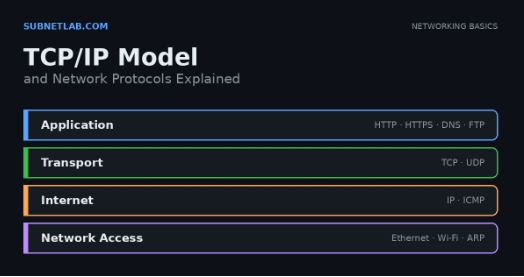 Network BlogAugust 25, 2026TCP/IP Model and Network Protocols Explained:TCP, UDP, ICMP, Handshakes, Flags, and Data Flow
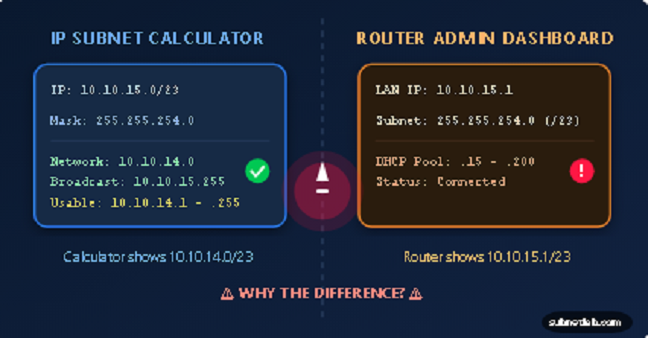 Network BlogAugust 11, 2026Router vs Calculator Showing Different Subnets? Why & the Fix
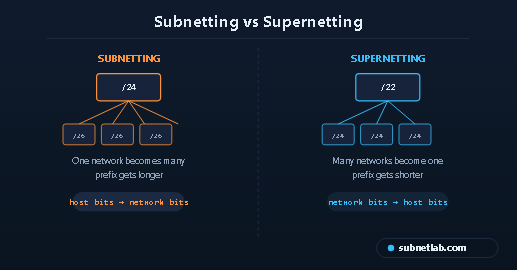 Network BlogAugust 6, 2026Supernetting Explained: The Opposite of Subnetting
 Network BlogAugust 5, 2026Ping Command Explained:Your First Tool for Network Troubleshooting