
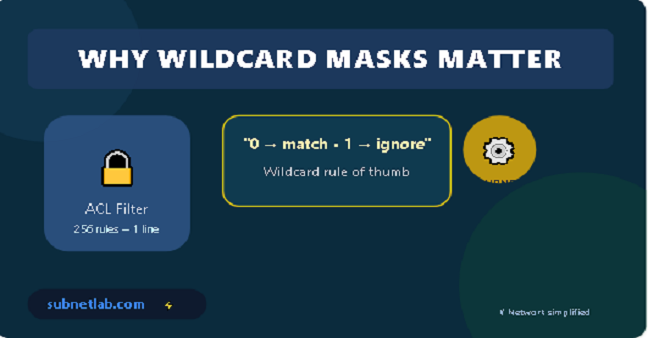
You’re staring at an ACL. You want to filter a single subnet, possibly the printers in accounting, but you must create 256 individual deny rules? Impossible. This has happened to me more than once.
That’s where a wildcard mask calculator comes in. Honestly, I used it many times to save time.
But hey, I get it. When I first saw wildcard masks. Total confusion. “Wait, why are the 0s and 1s backwards?” That’s literally what I said out loud. It feels wrong at first. It’s kind of like learning a stick shift after years of automatics. You’ll stall a few times. Maybe grind a gear. That’s fine.
So last week? I actually did stall. Big time. I was setting up an ACL for a /23 subnet I thought I had the wildcard right. Nope. Used 0.0.1.255; should’ve been something totally different. Yeah. Took me a whole hour to catch it. Embarrassing? Absolutely. But hey, whatever you live, you learn.
Anyway, in this guide, I’ll show you what these masks actually do. Where they’re used: ACLs, OSPF, EIGRP, the usual suspects. And how to calculate them without losing your mind. Or your weekend.
In this guide:
- What wildcard masks actually do
- Where they’re used (ACLs, OSPF, EIGRP)
- How to calculate them
- Common mistakes
- A real-life anecdote
- Helpful tools
What Is a Wildcard Mask?
Wildcard Mask Basics
A wildcard mask is basically a 32‑bit number that tells a device:
Which parts of an IP address matter and which parts to ignore?
Think of it like a filter—or those “spot the difference” puzzles.
The golden rule:
- Binary 0 — Match exactly (we care).
- Binary 1 — Ignore this bit (don’t care).
Yes, it’s the opposite of a subnet mask. That trips up almost everyone at first.
Wildcard vs Subnet Mask
Subnet masks: 1 = network
Wildcard masks: 0 = match
| Feature | Subnet Mask | Wildcard Mask |
| What 1 means | Network part | Ignore this bit |
| What 0 means | Host part | Must match |
| Pattern | 1s first, then 0s | 0s first, then 1s |
| Used in | Subnets | ACLs, OSPF, NAT |
Example:
255.255.255.0 → 0.0.0.255
They are opposite to each other
Wildcard Masks vs. IPv6 Prefix Lists
This one’s a comparison section just like “Wildcard vs Subnet Mask,” so it belongs near it readers who just learned “wildcard vs subnet mask” are primed for “okay, but what about IPv6?”
Where Wildcard Masks Are Used
You’ll find them in:
Access Control Lists (ACLs)
. One wildcard mask can match an entire subnet; it’s a big achievement. Example: Deny 192.168.1.0 0.0.0.255 blocks the whole /24. Much cleaner than 256 lines.
OSPF Routing
When you have a network like this 10.0.1.0 0.0.0.255 area o , that wildcard tells OSPF exactly which interfaces to turn on.
EIGRP
Same idea as OSPF. You will see network 10.0.0.0 0.0.255.255
NAT & Route Summarization
Yep, wildcards show up there too. They’re everywhere once you start looking.
How to Calculate a Wildcard Mask
: The Formula
Wildcard mask = 255.255.255.255 – Subnet mask
You subtract each octet separately. No binary conversion needed.
Method 1 Subtraction Trick
Example 1: /24 (255.255.255.0)
- Octet 1: 255 – 255 = 0
- Octet 2: 255 – 255 = 0
- Octet 3: 255 – 255 = 0
- Octet 4: 255 – 0 = 255
Result: 0.0.0.255
Example 2: /23 (255.255.254.0)
- Octet 1: 255 – 255 = 0
- Octet 2: 255 – 255 = 0
- Octet 3: 255 – 254 = 1
- Octet 4: 255 – 0 = 255
Result: 0.0.1.255
Example 3: /28 (255.255.255.240)
- Octet 1: 255 – 255 = 0
- Octet 2: 255 – 255 = 0
- Octet 3: 255 – 255 = 0
- Octet 4: 255 – 240 = 15
Result: 0.0.0.15
Example 4: A non‑standard mask – 255.255.254.240
This is from your tool screenshot. Let’s calculate:
- 255 – 255 = 0
- 255 – 255 = 0
- 255 – 254 = 1
- 255 – 240 = 15.
Method 2 — Binary Flip
- Convert mask to binary
- Flip bits
- Convert back
Example:
255.255.255.0
→ 11111111.11111111.11111111.00000000
Flip → 00000000.00000000.00000000.11111111
Result → 0.0.0.255
Quick Wildcard Table
| CIDR | Subnet Mask | Wildcard |
| /32 | 255.255.255.255 | 0.0.0.0 |
| /30 | 255.255.255.252 | 0.0.0.3 |
| /29 | 255.255.255.248 | 0.0.0.7 |
| /28 | 255.255.255.240 | 0.0.0.15 |
| /27 | 255.255.255.224 | 0.0.0.31 |
| /26 | 255.255.255.192 | 0.0.0.63 |
| /25 | 255.255.255.128 | 0.0.0.127 |
| /24 | 255.255.255.0 | 0.0.0.255 |
| /23 | 255.255.254.0 | 0.0.1.255 |
| /22 | 255.255.252.0 | 0.0.3.255 |
| /21 | 255.255.248.0 | 0.0.7.255 |
| /16 | 255.255.0.0 | 0.0.255.255 |
Real-Life Anecdote
I was creating an ACL for 10.22.48.0/23. I used 0.0.1.255 (correct mask) but paired it with the wrong base network. I matched 10.22.48.0–10.22.49.255, not what I needed.
A calculator check would’ve saved an hour.
This is the natural payoff to the anecdote you just told the story about losing an hour to a mistake, so following it immediately with “here’s the verification workflow I use now” feels earned and human, not random.
It also sets up “Tools I Use” nicely since your verification steps reference ipcalc, which is already listed there.
Tools I Use
- ipcalc (Linux)
- subnet-calculator-mcp (Python)
- CaptainDNS Netmask Calculator
- TestingBot IP Subnet Calculator
- Wildcard Mask Game (GitHub)
Advanced: Non‑Contiguous Masks
Advanced Wildcards
Wildcard masks don’t have to be contiguous.
Examples:
- Match even hosts: 0.0.0.254
- Match single host: 0.0.0.0
- Match everything: any in Cisco
Wildcard Masks in Network Automation
Right now the flow goes: Quick Wildcard Table → Real-Life Anecdote → Tools I Use → Advanced (Non-Contiguous Masks) → Common Mistakes. Your automation section fits naturally right after “Advanced:
Non-Contiguous Masks“Because both are “beyond the basics” content it reads like a natural progression from manual advanced concepts to automated ones, before you circle back to Common Mistakes and Faqs with real material.
Common Mistakes
Let me save you the pain.
Mistake 1 – Forgetting it’s backward
0 means match, 1 means ignore. Not the other way around. Write it on a sticky note.
Mistake 2 – Thinking bits must be contiguous
They don’t. Wildcards can be any pattern. That’s a feature, not a bug.
Mistake 3 – Octet dyslexia
A type 0.0.255.0 instead of 0.0.0.255 will break everything. Cross-check to avoid errors.
Mistake 4 – Being too proud to use a calculator
Seriously. Even old-timers like me mess up. Just use the tool.
FAQ
What’s the wildcard mask for 255.255.255.0?
It’s 0.0.0.255. Subtract each octet from 255. Done.
- How do I calculate a weird subnet like 255.255.254.240?
Same subtraction - 255-255=0,
- 255-255=0,
- 255-254=1,
- 255-240=15 → 0.0.1.15.
Can I use non-contiguous wildcard masks?
Yes. That’s the beauty of them. You can match odd/even IPs, specific patterns, whatever.
What wildcard matches a single host?
0.0.0.0. In Cisco, you can also use the host keyword.
Final Thoughts
Wildcard masks aren’t complicated once you learn the 255-minus trick. But always verify with a calculator.
Try calculating the wildcard manually next time you write an ACL or OSPF statement—then check yourself.
Go fix that ACL. And maybe make a backup first.
Author Profile

-
Muhammad Kazim Ali – Owner & Principal Engineer at SubnetLab.com (real-world networking labs).
10+ years in routing, switching & infrastructure design. Helps students, pros & enterprises master networking via practical labs. Based in Lahore, works with ISPs, data centers & tech teams.
📞 +92 343 5201037 (WhatsApp) | ✉️ subnetlab.official@gmail.com | 🌐 subnetlab.com
Latest entries
 Network BlogAugust 25, 2026TCP/IP Model and Network Protocols Explained:TCP, UDP, ICMP, Handshakes, Flags, and Data Flow
 Network BlogAugust 11, 2026Router vs Calculator Showing Different Subnets? Why & the Fix
 Network BlogAugust 6, 2026Supernetting Explained: The Opposite of Subnetting
 Network BlogAugust 5, 2026Ping Command Explained:Your First Tool for Network Troubleshooting