
In this digital world, managing IP addresses properly is difficult. IPv4 subnet calculator is an important tool for networking professionals or students who are planning to create a network .
This article explains what a subnet calculator is, how to use it, and why it is so important in simple language.
What is IPv4 and Subnetting?
Different versions of IP addresses exist in this world, but we are using IPv4 (Internet Protocol version 4).
IP stands for Internet Protocol, and v4 tells us the version.It means we are using ipv4 which help us to discover different devices in a network using a 32-bit address. Example: 192.167.1.8
With the help of Subnetting it is possible to divide large scale network into smaller, more suitable parts called subnets. It helps improve, security, performance and IP address administration.
What is an IPv4 Subnet Calculator?
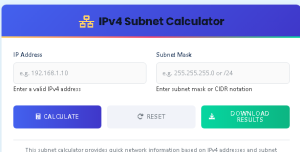
An IPv4 subnet calculator is a tool that automatically calculates key network details from an IP address and subnet mask or CIDR. It gives you:
- Network address
- First and last usable IP addresses
- Broadcast address
- Total number of hosts
- Subnet mask in CIDR and dotted format
This saves time, reduces human error, and ensures your network is properly configured.
How to Use an IPv4 Subnet Calculator
Using the calculator is easy:
- Enter an IP address (192.168.10.7)
- Select the subnet mask or CIDR (255.255.255.0/8 etc.
- Click Calculate
- You’ll instantly get:
- Network range
- Host addresses
- Broadcast IP
- Mask details
Example:1
- Input: IP = 192.168.1.110, CIDR = /24
Example 2
Input: IP = 192.168.1.110, CIDR = /16
FAQS IPv4 Subnetting Questions
Why use /24 subnets?
256 IP addresses is used in /24 subnets and (254 usable). It’s commonly used in offices and small networks.
How much is a /24 subnet worth?
In terms of IP addresses: 256 total, 254 usable. In cloud environments this IP ranges used because you have actual dollar values.
How do I find my IPv4 subnet mask?
Check your system:
- Windows: ipconfig
- Linux/macOS: ifconfig or ipa
What is the subnet mask number of IPv4?
It’s a 32-bit number like 255.255.255.0. It shows how many bits are used for the network part.
/8 means 8 bits are used for network.
Is 255.255.0.0 is /24 or /16?
Answer. 255.255.0.0 is /16.
CIDR vs Subnet Masks
CIDR (Classless Inter-Domain Routing) is represent with slash (/) followed by the number of network bits. Example:
| CIDR | Subnet Mask | Hosts |
| /24 | 255.255.255.0 | 254 |
| /25 | 255.255.255.128 | 126 |
| /26 | 255.255.255.192 | 62 |
CIDR is more flexible and helps reduce wasted IPs.
Where IPv4 Subnetting is Used
- Home Networks: Isolating devices like phones ,smart TVs.
- Enterprise LANs: Assigning subnets to departments
- ISPs & Hosting: Allocate IP ranges efficiently
- Cloud Infrastructure: VPC and private IP planning ( Azure,AWS)
Troubleshooting Subnet Issues
If your network is slow or some devices aren’t reachable, you might have:
- Overlapping subnets
- Wrong subnet mask
- Misconfigured gateways
- Broadcast domain collisions
Use a subnet calculator to verify your configuration.
Free Tools and Resources
Want to make subnetting even easier? Try these:
- Ipv4 subnet calculator
Conclusion: Simplify Networking with Subnet Calculators
Subnetting can be confusing, but a good calculator makes it simple. It ensures your network is efficient, avoids conflicts, and is scalable. Use our free online IPv4 subnet calculator today and take control of your network.